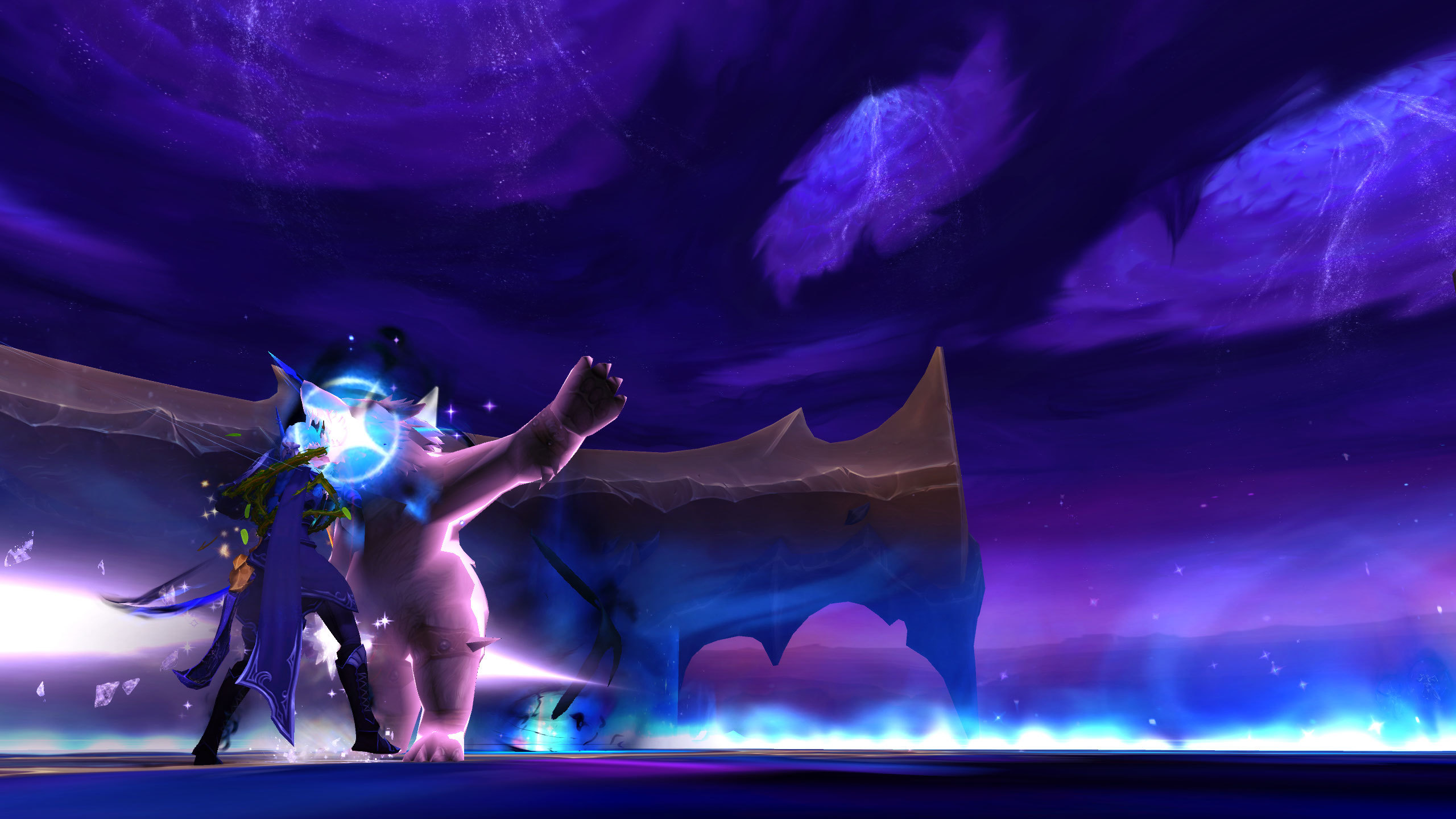
The Dimensius the All-Devouring encounter in World of Warcraft: Midnight is the most mechanically complex boss fight in the expansion, featuring multi-phase Void mechanics, positioning-dependent damage patterns, inverse gravity zones, and raid-wide cooldown timing requirements that demand exceptional UI clarity and WeakAuras support to execute consistently at the highest level of play. Whether you are progressing on Dimensius as part of the world-first Race or simply trying to secure your Ahead of the Curve achievement before the next raid tier opens, optimizing your user interface and WeakAuras package for this specific encounter will dramatically reduce your mechanical error rate and improve your contribution to the raid’s overall success. This guide covers the essential UI settings, WeakAuras configurations, and role-specific interface optimizations that will prepare you for the Dimensius fight.
Essential UI Settings for the Dimensius Encounter
Before configuring your WeakAuras, ensure that your base UI settings are optimized for the Dimensius encounter’s mechanical demands. The following UI adjustments will maximize your visibility of boss mechanics, reduce visual clutter from unnecessary UI elements, and ensure that your screen real estate is dedicated to the information that matters most during the fight.
- Nameplate Configuration: Enable enemy nameplates with cast bar display and debuff/buff icons visible. Set nameplate size to large enough to clearly read cast bar timers but small enough to avoid obscuring the boss model and ground effect indicators. Dimensius’s cast bars are critical interrupt and positioning targets, and clear nameplate cast bar visibility is essential for assigning interrupts and anticipating dangerous boss abilities.
- Raid Frame Setup: Configure your raid frames (whether through Blizzard’s default raid frames, ElvUI, or VuhDo) to display health percentage, incoming healing, absorb shields, and the most dangerous debuffs that Dimensius applies during the encounter. Debuff display on raid frames is particularly important for tracking Void Corruption stacks and inverse gravity assignments, because players who can see their debuff status at a glance are less likely to make positioning mistakes that cause raid-wide damage.
- Ground Effect Visibility: Increase ground effect (area-of-effect zone) opacity and size in your UI settings to maximum, because Dimensius’s Void ground effects are the primary positional threat during the encounter and must be visible even when the boss model’s particle effects are obscuring the ground. Blizzard’s default ground effect opacity can be too low to see clearly during heavy particle effect phases, so increasing opacity is a critical safety adjustment.
- Camera Distance and Angle: Set your camera to maximum distance and a slightly elevated angle (using the /console cameraDistanceMax command and camera positioning hotkeys) to provide the widest possible field of view for tracking Void ground effects, inverse gravity circles, and raid member positioning simultaneously. The wider field of view is particularly important during Phase Two of the Dimensius fight, when the encounter area fills with Void ground effects and positional awareness is at its premium.
- Blizzard Boss Mod Timeline: Enable Blizzard’s built-in boss mod timeline feature from the UI Hub, which provides a visual timeline of upcoming boss abilities and mechanic triggers that supplements (but does not replace) third-party boss mods like DBM or BigWigs. The Blizzard timeline is useful as a backup reference in case your third-party boss mod experiences any bugs or delays during the encounter.
Essential WeakAuras for the Dimensius Fight
WeakAuras is the single most important addon for optimizing your Dimensius encounter performance, because custom WeakAuras can track boss mechanic timers, display personal responsibility alerts, and provide positional guidance that the default UI and standard boss mods cannot communicate with the same clarity and specificity. The following WeakAuras configurations are essential for the Dimensius fight and are available from the Wago.io community aura database or can be imported from guild-shared WeakAuras packages.
- Void Corruption Stack Tracker: A WeakAura that displays your current Void Corruption stack count prominently on screen with color-coded warnings (green for safe stacks, yellow for caution, red for dangerous) and an audio alert when you reach the maximum safe stack threshold. The Void Corruption mechanic requires players to manage their stack count by positioning outside the raid group to avoid spreading the debuff, and a prominent stack tracker ensures that you never accidentally overcap your stacks and trigger the raid-wide damage penalty.
- Inverse Gravity Circle Alert: A WeakAura that identifies when you are selected for the inverse gravity circle mechanic and provides an audio alert (commonly configured to trigger an airhorn sound) that immediately captures your attention and reminds you to move to the designated inverse gravity position. The inverse gravity mechanic is the most dangerous individual mechanic in the Dimensius fight, because players who fail to reach the correct position in time are launched into the air and take lethal falling damage when the gravity effect expires. The airhorn audio alert is universally used by Dimensius-progressing guilds because it cuts through raid voice chat noise and ensures that the targeted player is immediately aware of their responsibility.
- Phase Two Position Circle: A WeakAura that displays a movable position indicator on your screen during Phase Two of the Dimensius fight, helping you maintain the correct distance and angle from the boss and your assigned raid group cluster. The Phase Two position circle WeakAura is configured with your specific raid group’s positional assignment (typically a dot on the circle that you move to match your actual position relative to the boss), providing a visual reference that makes it easy to maintain proper positioning even when the encounter area is filled with Void ground effects and raid member character models that obscure your view of the boss.
- Defensive Cooldown Tracker: A WeakAura that tracks your personal defensive cooldown availability and displays a prominent alert when your defensive is coming off cooldown during dangerous boss phases, reminding you to use it proactively rather than reactively. This WeakAura is particularly valuable for Phase Two and Phase Three transitions, where Dimensius’s damage output spikes and having your defensive cooldown available at the right moment can be the difference between surviving and requiring an emergency healer intervention.
- Bloodlust/Heroism Timing Alert: A WeakAura that tracks Bloodlust/Heroism availability and provides a raid-wide alert when Bloodlust is used, ensuring that all DPS players are aware of the Bloodlust window and can align their personal damage cooldowns to maximize the Bloodlust period’s damage output. This WeakAura is important for the Dimensius fight because the boss has soft enrage phases where the raid needs to maximize damage output during Bloodlust windows to meet the DPS check requirements before the boss’s damage scaling becomes unmanageable.
All of the above WeakAuras are available on Wago.io through the Dimensius the All-Devouring encounter page, and they can be imported individually or as part of a comprehensive Dimensius WeakAuras package that includes all five configurations pre-configured and ready to use. Guilds that are progressing on Dimensius typically provide their raid roster with a custom WeakAuras package that includes these standard configurations plus guild-specific modifications for positional assignments, interrupt rotations, and defensive cooldown scheduling, and it is strongly recommended that you use your guild’s custom WeakAuras package rather than the generic Wago.io versions if your guild has invested the time in creating encounter-specific customizations.
Role-Specific UI Optimizations
In addition to the general UI and WeakAuras configurations that apply to all raid members, each role (tank, healer, DPS) has role-specific UI optimizations that are particularly important for the Dimensius encounter and that will improve your role’s execution of the fight mechanics.
Tank UI Optimizations: Tanks should configure their UI to display Dimensius’s melee swing timer prominently, because the tank swap mechanic during the Dimensius fight is timed around the boss’s melee attack pattern and tanks who can see the melee swing timer clearly will execute tank swaps more precisely and avoid taking unnecessary overlapping hits. Tanks should also enable boss target debuff display on their nameplate so they can see their own Void Corruption stack count and their co-tank’s stack count simultaneously, ensuring that tank swaps occur at the optimal stack threshold rather than too early (wasting stack reset opportunities) or too late (triggering lethal stack-based damage). The tank-specific WeakAuras package should include a boss melee swing timer, a tank swap alert for when the co-tank reaches maximum safe Void Corruption stacks, and a personal active mitigation uptime tracker.
Healer UI Optimizations: Healers should configure their raid frames to display Void Corruption debuff counts on every raid member, because tracking Void Corruption stacks across the entire raid is the healer’s primary responsibility during the Dimensius fight and determines which raid members need preemptive healing before the debuff’s periodic damage ticks become lethal. Healers should also enable an incoming damage prediction display that shows the estimated damage from Dimensius’s upcoming boss abilities, allowing the healer to pre-cast healing spells before the damage resolves rather than reacting to damage after it has already been applied. The healer-specific WeakAuras package should include a raid-wide Void Corruption stack overview (showing all raid members’ stack counts in a compact display), an incoming damage prediction alert for dangerous boss abilities, and a mana regeneration tracker to help the healer manage their mana pool through the fight’s extended healing phases.
DPS UI Optimizations: DPS players should configure their UI to display the boss’s remaining health percentage prominently, because the Dimensius fight has soft enrage phases where the raid needs to achieve specific health percentage thresholds within time windows to avoid escalating damage scaling that eventually overwhelms the healers. DPS players should also enable a personal DPS meter that tracks their damage output in real-time during Bloodlust windows and non-Bloodlust phases separately, allowing them to verify that they are meeting the DPS check requirements and adjusting their rotation if their damage output is below the threshold needed for the raid to clear the encounter successfully. The DPS-specific WeakAuras package should include a boss health percentage tracker with soft enrage phase warnings, a personal DPS meter with Bloodlust and non-Bloodlust tracking, and a priority target alert for add phases where DPS players need to switch from the boss to Void adds quickly and efficiently.
Testing and Refinement Before the Fight
Once you have configured your UI and WeakAuras for the Dimensius encounter, it is essential to test your setup before committing to serious progression attempts, because a misconfigured WeakAura or obscured UI element can cause more mechanical errors than it prevents if it is not calibrated correctly for your specific screen resolution, UI scale, and personal visual preferences.
- Test on Lower Difficulty: Run the Dimensius encounter on Normal or Heroic difficulty first with your full UI and WeakAuras configuration active, verifying that all WeakAuras trigger correctly, all UI elements are visible and not obscured by other screen elements, and your camera angle provides the field of view you need to track boss mechanics and raid positioning simultaneously.
- Adjust WeakAura Positions: During your test runs, note where your eyes naturally focus during different phases of the encounter and adjust your WeakAura positions to align with your natural visual attention patterns. WeakAuras that are placed outside your natural field of view will be missed during intense combat phases, so positioning is as important as configuration for WeakAura effectiveness.
- Verify Audio Alerts: Test all audio alert WeakAuras (inverse gravity airhorn, defensive cooldown reminder, Bloodlust timing alert) to ensure they play at a volume that is audible over your raid voice chat and combat sound effects without being so loud that they startle you and cause mechanical errors. Audio alert volume calibration is a personal preference that requires testing and adjustment based on your specific audio setup and raid voice chat configuration.
- Guild Coordination: Share your UI and WeakAuras configuration with your guild’s raid leadership and other raid members to ensure consistency across the raid, because coordinated WeakAura usage (where all raid members have the same positional alerts, stack trackers, and timing reminders) produces better raid-wide mechanical execution than individualized configurations where different raid members are receiving different visual and audio cues.
The Dimensius the All-Devouring encounter is the mechanical pinnacle of World of Warcraft: Midnight’s Season 1 raid tier, and players who invest the time to optimize their UI and WeakAuras for this specific fight will see a measurable improvement in their personal performance and their raid team’s overall progression speed. The combination of clear UI visibility, well-configured WeakAuras, role-specific optimizations, and thorough pre-fight testing will prepare you for one of the most demanding and rewarding boss encounters in World of Warcraft’s raiding history.
Leave a Reply